An event changes after you have invoiced it. A second day is added, the stage shrinks, the client asks for more microphones. The invoice is already sent, maybe already paid. What now?
The rule every accountant will give you: never edit an issued invoice. Your client has a copy, their bookkeeper may have booked it, and in Poland it may already be in KSeF. Changing it quietly leaves two different documents with the same number. Instead, you issue a corrective invoice: a faktura korygująca in Poland, a Korrekturrechnung in Germany, often a credit note elsewhere.
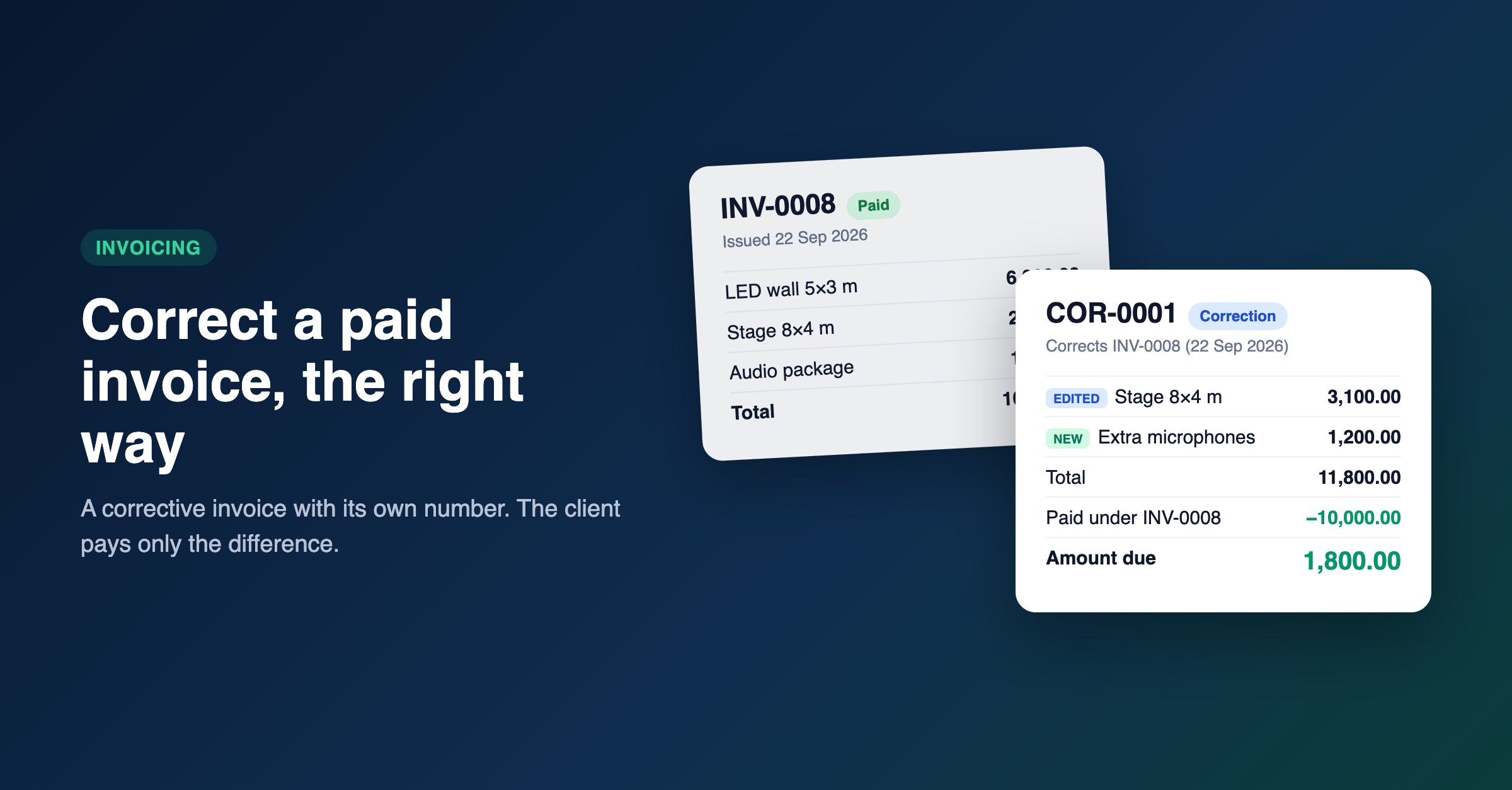
A paid invoice INV-0008 and its corrective invoice COR-0001, which asks the client only for the 1,800.00 difference
A correction is a document of its own, with its own number. It names the invoice it corrects and that invoice's date, shows every line as it is now, and states the reason. The original stays exactly as it was issued, and the two are linked. In CueQuote, corrections are numbered KOR-0001 for companies in Poland, Germany, Austria and Switzerland, and COR-0001 everywhere else.
Ready to create proposals in minutes?
CueQuote generates professional event proposals with AI. Start free, no credit card required.
Try CueQuote Free →The part that usually goes wrong is the money. Say the client paid 10,000.00 on the original and the corrected total is 11,800.00. The correction must ask for 1,800.00, not 11,800.00, and the 10,000.00 must not be counted twice in your books. CueQuote carries over what was paid on the original automatically: the summary shows Paid under INV-0008 and an Amount Due of only the difference. If the corrected total is lower than what was paid, the correction shows a credit due to the client instead.
In CueQuote, open the paid invoice, click Correct invoice and give the reason. Edit the lines in the same editor you use for proposals. Changed lines are marked EDITED with the old total struck through, new lines are marked NEW, and removed lines stay on the document as REMOVED so the client can see what went. Send it, and when the client pays the difference, record that payment on the correction. The original stops sending payment reminders.
Two habits worth keeping. Keep invoice lines short: the item name and what identifies it, such as LED wall 5x3 m, 2 days. The long sales description belongs in the proposal, which the invoice now names. And write a real reason, such as "Extra microphones added, stage reduced to 8x4 m": it is the first thing an auditor reads.
In Poland, corrections cannot be sent to KSeF from CueQuote yet. Create and send the correction in CueQuote, then submit it through your usual KSeF route. The step-by-step guide is in the docs under Corrective Invoices.