Ask an AV rental company how it keeps track of its equipment and the honest answer is often a mix: a spreadsheet of serial numbers that was accurate when someone last updated it, marker pen on gaffer tape, and the memory of whoever packs the vans. That works until two identical wireless receivers come back from a show and nobody can say which one was in for repair last month, or a DI box turns up at a venue weeks after the event with nothing on it to say whose it is.
CueQuote now keeps an inventory register. Every piece of equipment you choose to track gets its own asset number and a QR label, and every unit keeps a status and a history of what has happened to it.
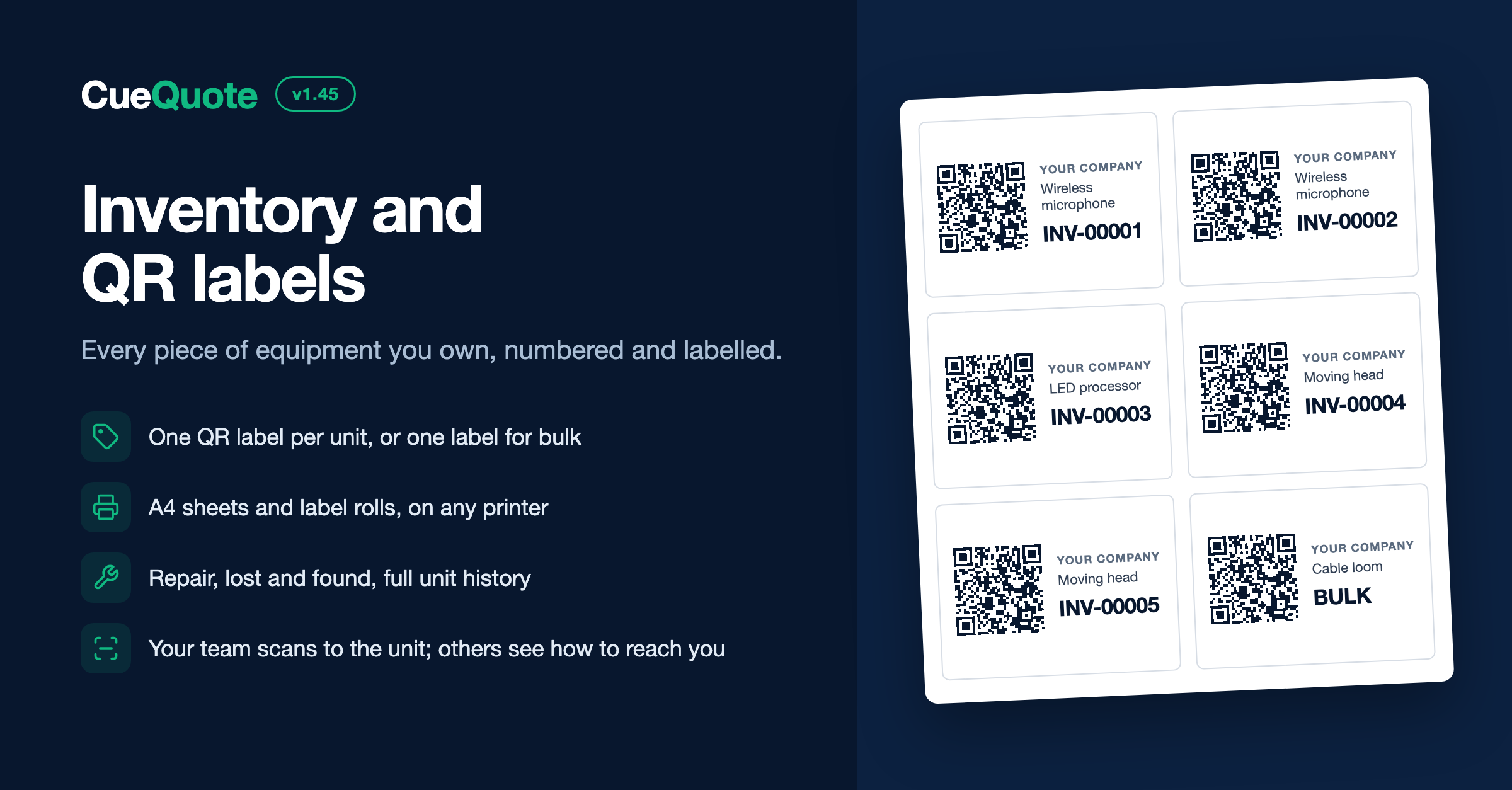
QR equipment labels with asset numbers for AV rental gear, printed from the CueQuote inventory register
The first decision is what deserves a label of its own. In CueQuote each catalog item is set to one of three options. Tracked units get one label each, which suits anything you want to follow piece by piece: microphones, radio packs, projectors, moving heads, media servers. Bulk items get one label and a quantity, which suits things you count rather than follow, such as cable looms, clamps or stage weights. Crew, transport and services stay not tracked. A useful test is whether you would ever ask which one of these came back damaged. If you would, track the units.
Setting up is a three step wizard. First you mark the catalog items you own and choose a prefix for your asset numbers, so units are numbered like INV-00001 unless you pick a prefix of your own. Then you say how many of each tracked item you have: type a count, or paste serial numbers one per line and CueQuote creates one unit per serial. If your serial numbers already live in a spreadsheet, import it as a CSV instead. The last step prints the labels.
Ready to create proposals in minutes?
CueQuote generates professional event proposals with AI. Start free, no credit card required.
Try CueQuote Free →Labels come out as a PDF for any printer. There are A4 sheets of 70 × 37 mm, 48.5 × 25.4 mm and 99.1 × 38.1 mm labels, a custom A4 grid if your sheets are a different size, and label rolls of 62 × 29 mm and 50 × 25 mm. Each label carries the QR code, your company name, the equipment name and the asset number in readable text, so a label is still useful to someone without a phone in their hand. If a sheet is partly used, tell CueQuote which position to start from. Before printing on label stock, print one page on plain paper and hold it against the sheet to check the alignment.
Each unit then has its own page: asset number, serial number, purchase details, condition and status. A unit is available, in repair, lost or retired. You can mark it damaged, send it to repair and bring it back, mark it lost and then found, or retire it for good, and every change lands in the unit's history with a note if you add one. If a unit already carries an old sticker or a manufacturer barcode, add that code to the unit so it finds the same record. Retired units keep their history, and their asset numbers are never reused.
What happens when a label is scanned depends on who is holding the phone. A member of your team goes straight to that unit in CueQuote. Anyone else sees a short page with your company name, the asset number and how to contact you, with no prices, clients or job details. If the unit has been marked lost, that page says it has been reported missing, and you are alerted that it was scanned. The phone number and email shown there are set in your inventory settings and default to your company's own.
A few practical points. Put the label on the unit itself rather than on its case, unless the case always travels with the same contents. For bulk items, label the bin or case the quantity lives in. And label the units you already own before you add new ones, because a register that covers half the fleet cannot settle a question about the other half.
Inventory is available on every plan. Free covers 10 inventory items, Starter 50, and Pro and above are unlimited. Each tracked unit counts as one item, each bulk item counts once whatever its quantity, and retired units do not count. The register is also connected to your quotes: they reserve the tracked equipment on them for the event dates, and the Availability tab shows what is free on each day. Every won proposal with tracked equipment is also a job with a pack list, and gear is scanned out and back in against it.