تكاد كل مهمة صوتيات ومرئيات تحتوي جزءاً ينفّذه غيرك. شركة تأجير تغطي ما ينقصك من معدات، ورِيغَر يأتي ليوم واحد، ومورّد ضيافة يتولّى بند الضيافة كاملاً. العمل نفسه روتيني، أما ما ترسله إليهم فغالباً ليس كذلك: ملف PDF مُعاد توجيهه بأسعاره كما هي، أو رسالة قُصّت يدوياً في السابعة صباحاً على أمل أنك حذفت البنود الصحيحة.
الخطر هنا ليس في السعر حقيقةً، بل في العميل. العرض يذكره في كل صفحة، والمورّد الذي يعرف من هو العميل النهائي يملك كل ما يلزم ليقدّم له عرضاً مباشراً العام المقبل. وبند عدم استقطاب العملاء لا يساوي الكثير إن كانت الوثيقة التي يقوم عليها تذكر الشركة نفسها التي يُفترض أن يحميها.
صار CueQuote يُصدر أمر عمل بدلاً من ذلك. افتح تبويب المورّدين في أي مهمة، وأشِّر على البنود التي تسندها — أو امنح قسماً كاملاً مثل الضيافة في وضع المنظّم — وأرسل رابطاً واحداً. وهذا ما يفتحه المورّد، بلا تسجيل دخول وبلا حساب:
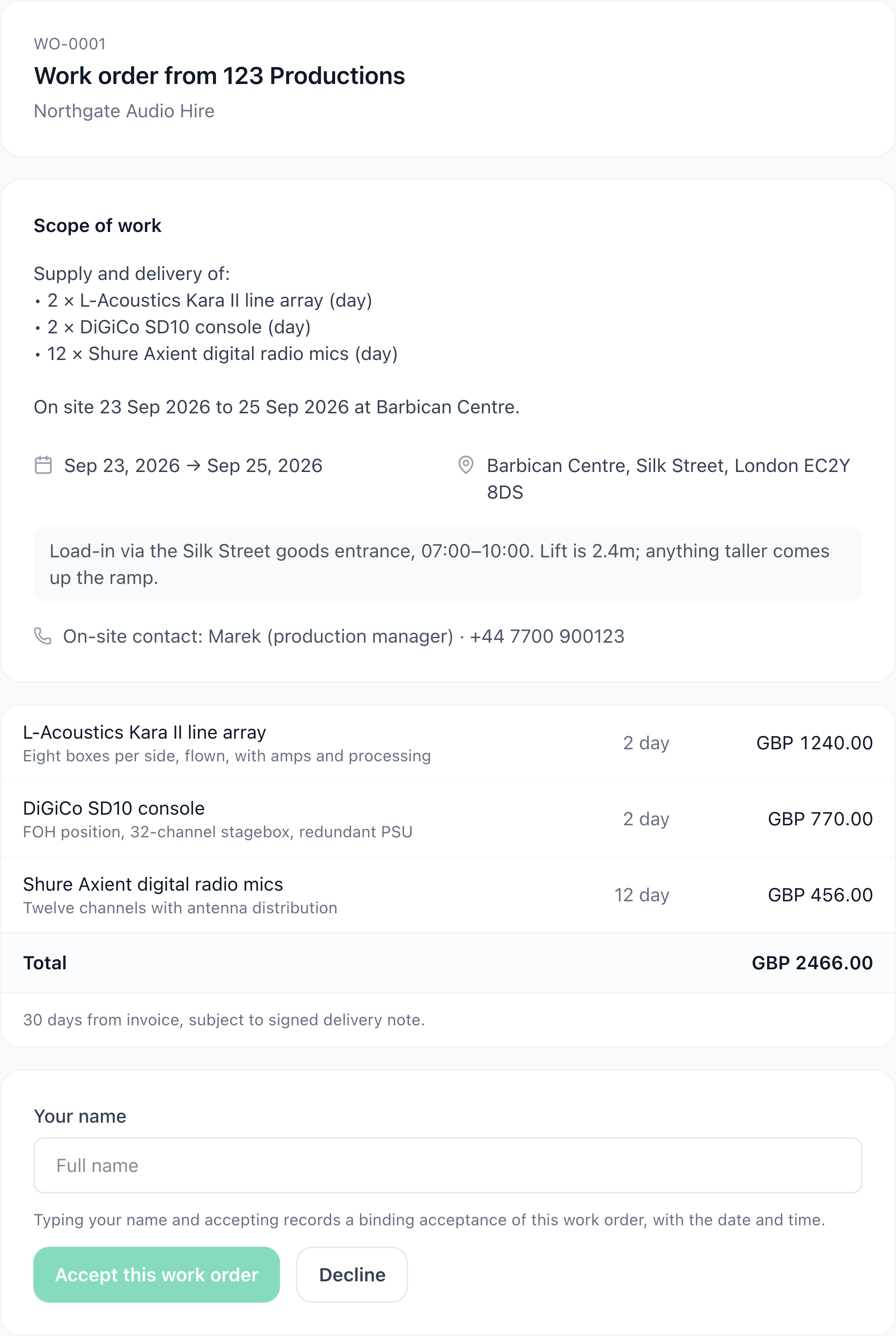
أمر عمل كما يراه المورّد: نطاقه، والمكان، وفترة التجهيز، وجهة الاتصال في الموقع، وسعره هو. بلا اسم عميل وبلا سعر بيع.
كل ما يحتاجه ليحضر ويعمل موجود: ما يوفّره، والتواريخ، والمكان والعنوان، وفترة التجهيز، ومن يتصل به في الموقع. الإجمالي 2,466 جنيهاً إسترلينياً — وهو ما يتقاضاه هذا المورّد. وفي المهمة التي جاء منها الأمر، تُباع البنود الثلاثة نفسها بـ 5,840 جنيهاً. لن يرى المورّد هذا الرقم أبداً، ولا اسم العميل ولا بيانات تواصله ولا ملخّص نطاق العرض.
هل أنت مستعد لإنشاء عروض في دقائق؟
CueQuote ينشئ عروض فعاليات احترافية بالذكاء الاصطناعي. ابدأ مجاناً بدون بطاقة ائتمان.
← جرّب CueQuote مجاناًنص النطاق يُكتب من البنود التي اخترتها لا يُنسخ من العرض، وليست هذه مسألة أسلوب. فملخّص النطاق في العرض مكتوب للعميل ويذكره بالاسم — «إنتاج متكامل لإحاطة النتائج السنوية لشركة Halstead Financial» — ولذلك لا يصلح للتمرير أبداً. وتوليد النص من البنود يصف العمل وصفاً أنفع أيضاً: ما يوفّره المورّد، لا ما تدور حوله الفعالية.
وما يسهل إغفاله هو أوصاف البنود. فهي أيضاً مكتوبة للعميل وتُنسخ إلى الأمر. لذلك يقرأها CueQuote، ويرفض إصدار أمر عمل يذكر نصّه عميلك — مشيراً إلى البند الذي يحتاج تعديلاً، ولو كان بنداً لم تكتبه أنت. وإن كانت الكلمة المُنبَّه عليها من مفرداتك المعتادة لا هوية عميل، تعلّمها مرة واحدة عند ذلك العميل فلا يُنبَّه عليها بعدها أبداً.
والتأمين يُفحص، ويُفحص بالتاريخ الصحيح. أدخل تاريخ انتهاء المسؤولية المدنية للمورّد مرة واحدة، فلن يخرج أمر العمل إن انتهت التغطية قبل تفكيكك — لا فقط إن كانت منتهية اليوم. فالتغطية السارية في أسبوع الحجز والمنتهية صباح يوم العرض هي العطل الذي يكلّف فعلاً، والفحص بتاريخ اليوم يمرّرها دون كلمة. ويبقى بإمكانك الإرسال: يُسجَّل السبب على الأمر باسمك، وهذا ما يميّز الاستثناء عن المنع.
يقبل المورّد بكتابة اسمه. ويُسجَّل التاريخ والوقت والرد على الأمر، فتكفّ عبارة «أكّد في الثالث» عن كونها ذكرى مكالمة هاتفية. وإن تغيّرت المهمة أو أُعيد توجيه الرابط إلى من لا ينبغي، فألغِه. يتوقف الاطلاع والقبول معاً — فرابط ملغى وما زال قادراً على تأكيد حجز أسوأ من رابط ما زال يظهر اسم مكان.
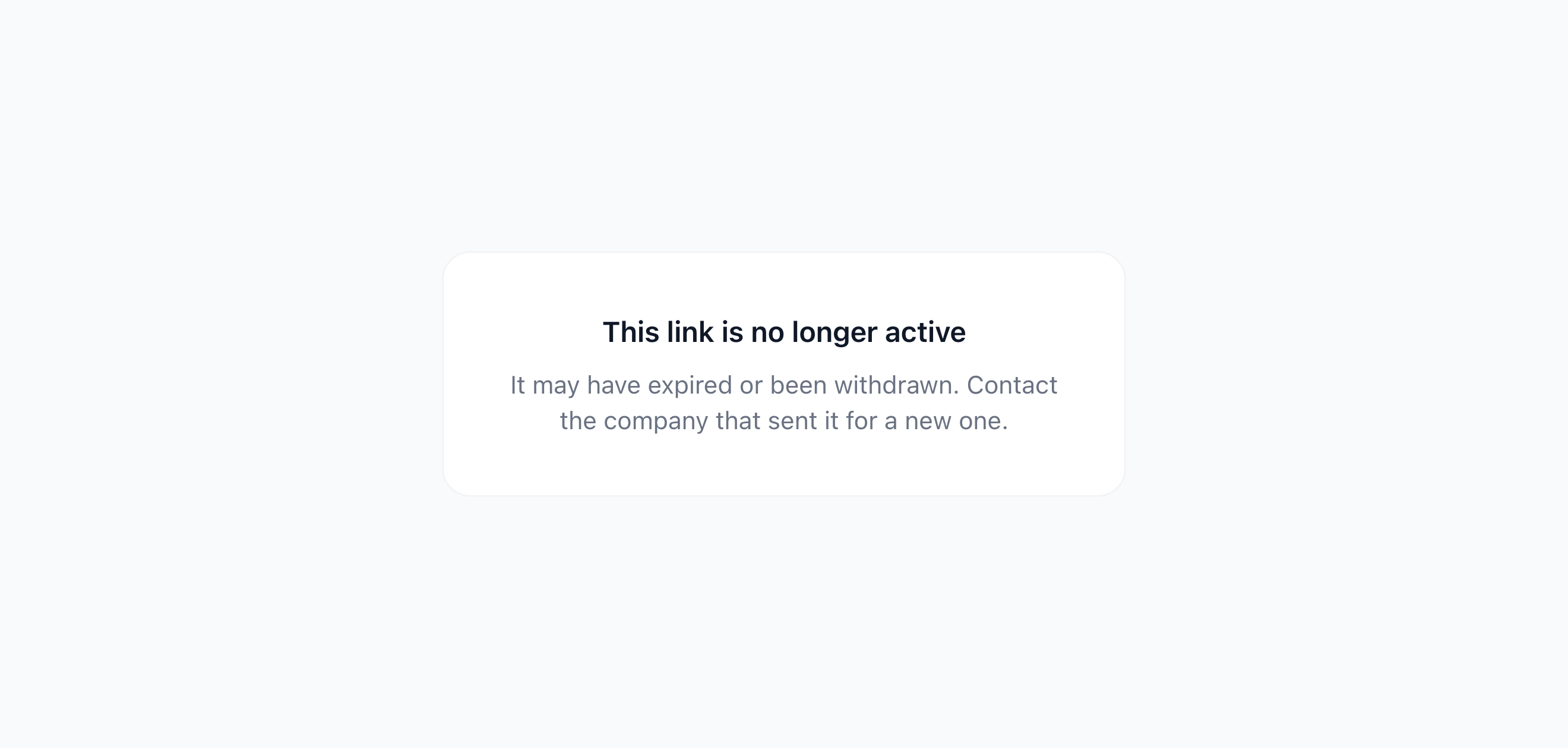
رابط ملغى. الرمز الخاطئ والمنتهي والمسحوب تقول جميعها الشيء نفسه، فلا يعرف أحد أيّها بين يديه.
ووضع المنظّم يعمل بالطريقة نفسها بوحدة مختلفة. فالمنظّم نادراً ما يسند ثلاثة بنود؛ بل يمنح الضيافة أو الإنتاج أو النقل لمورّد واحد دفعة واحدة. اختر القسم، ويكتب نص النطاق نفسه من كل ما تحته.
والميزة متاحة في كل الباقات. الحسابات المجانية تبقي أمري عمل فعّالين في الوقت نفسه، وStarter عشرة، وPro فما فوق بلا حد — والإلغاء يحرّر المقعد، فالحد يخصّ ما هو قائم لا ما أرسلته يوماً.